This feature allows users to rename keys directly on the GL Strings dashboard.
On this page
You can rename keys directly on GlobalLink Strings. This is especially helpful when you work across teams to localize content. Key renaming helps ensure that the correct keys are translated and available in a localized app or software.
Key renaming considerations
Key renaming is recommended only for content uploaded via the Figma integration.
This ensures that content translated as part of localization at the design stage workflows is available to the connected app or software without the need to migrate translations or know the correct key names ahead of development.
❗Important: Keep in mind the following considerations when renaming keys.
If there are multiple integrations within a project and a key is renamed, ensure that keys are also renamed in the source files. If deprecated keys still exist in the source files, then the integration(s) will upload the deprecated key again.
Keys that are locked or in an open order cannot be renamed.
For plural keys and arrays, only the plural (or array value) part of the key name can be renamed. It is also not possible to rename a key into a plural (or array) if it was not previously part of one.
This feature is only available to users with Manager, Admin, or Owner roles.
Enable key renaming
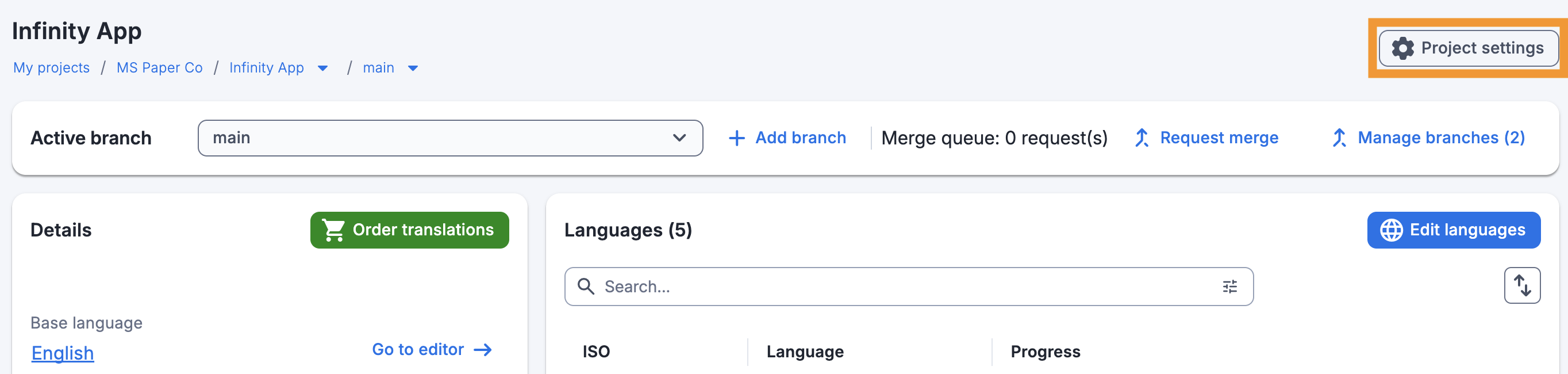
Click Project settings on the project dashboard.
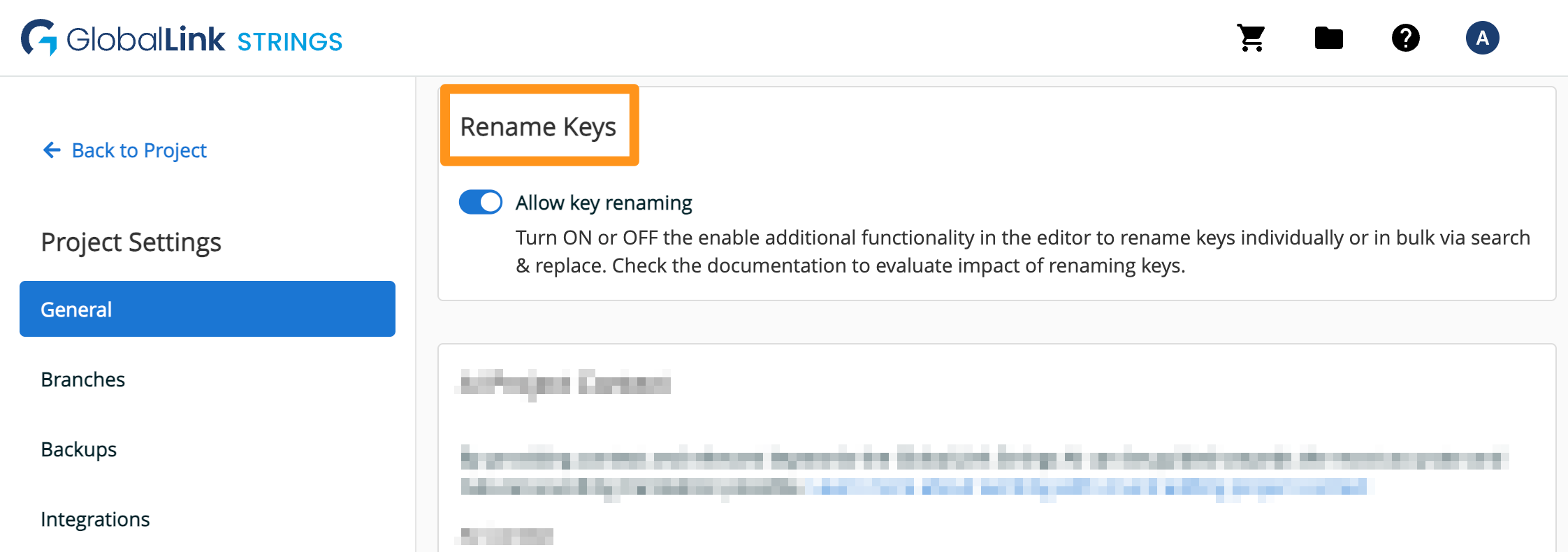
In the General tab > Additional settings > Keys can be renamed switch the toggle to enable the feature.
Rename keys individually
Open the editor.
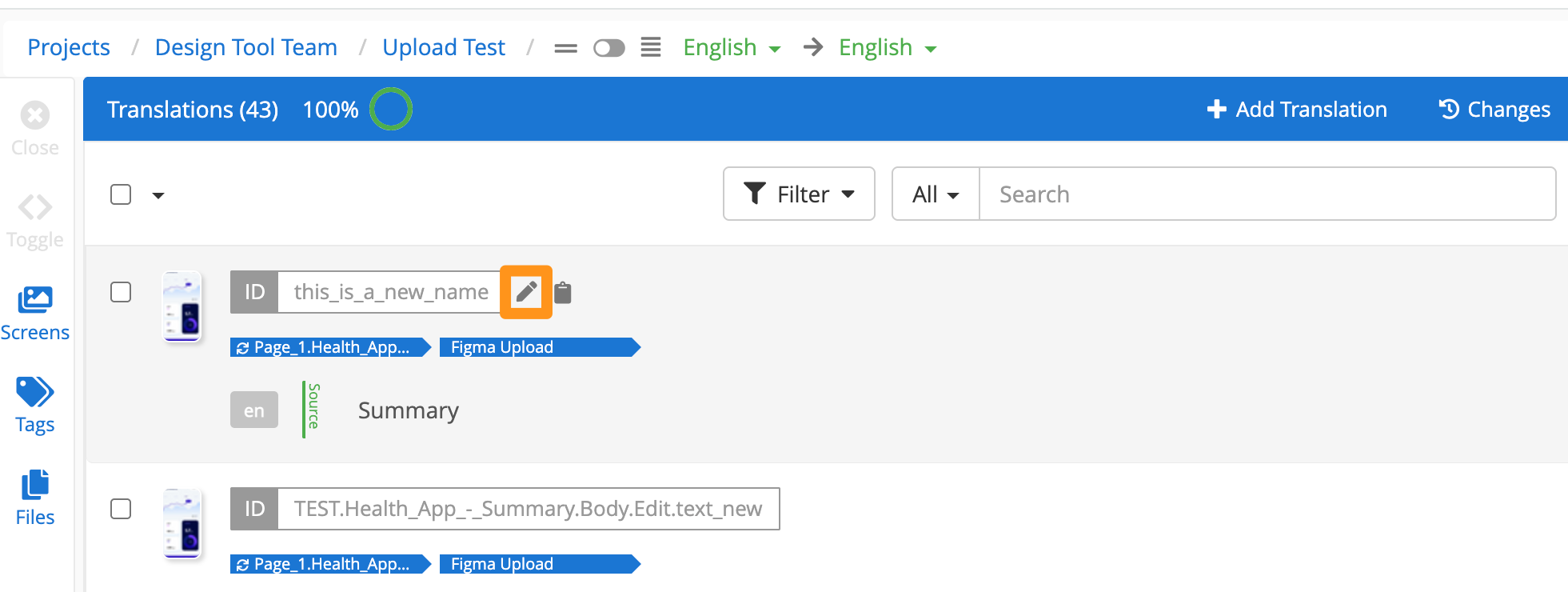
Hover over the key to be renamed and click the pencil (Rename key) icon.
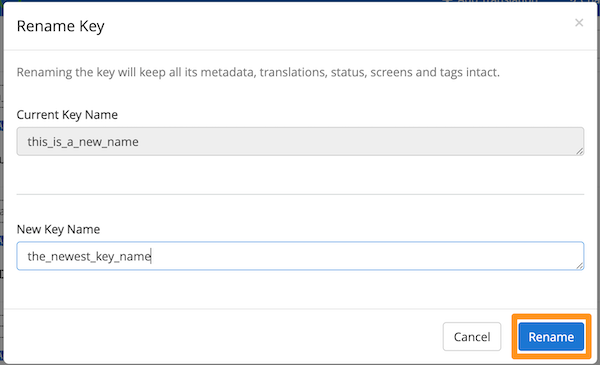
Edit the key name then click Rename to save your changes.
Rename keys in bulk
Open the editor.
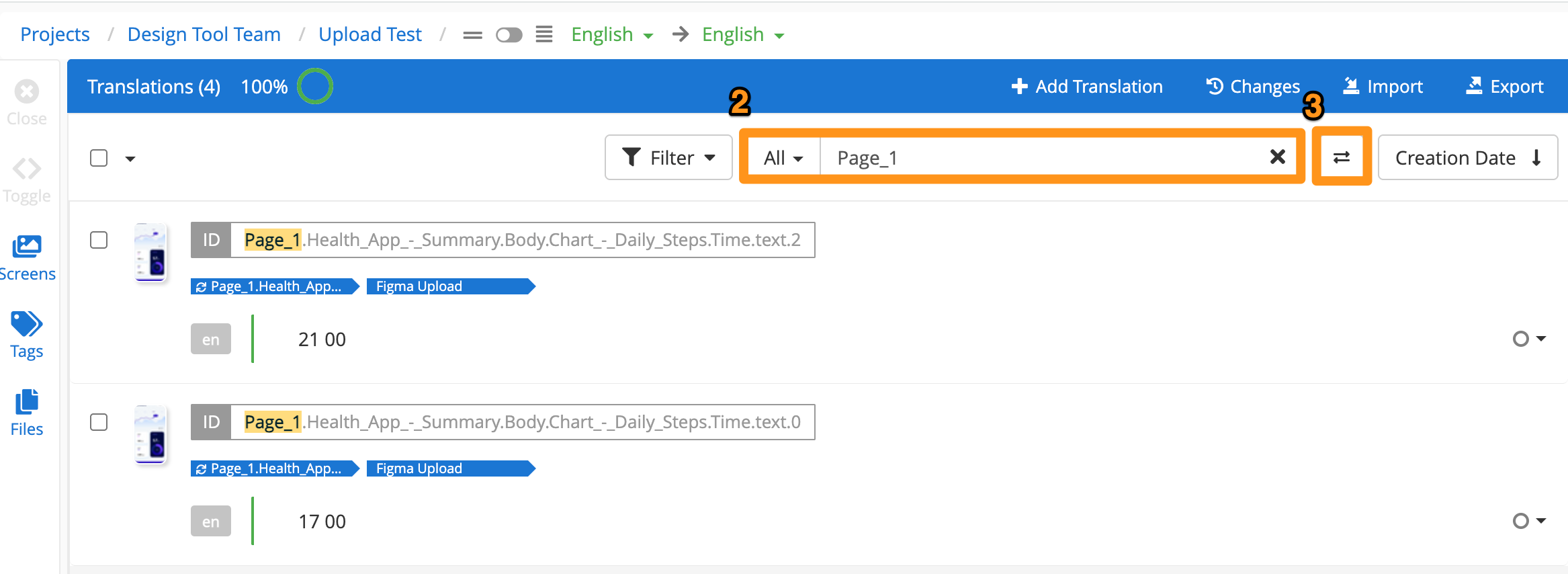
Use the search option to find the keys that should be renamed.
Apply a filter in the search bar to limit results to keys only.
Click the Search & Replace icon.
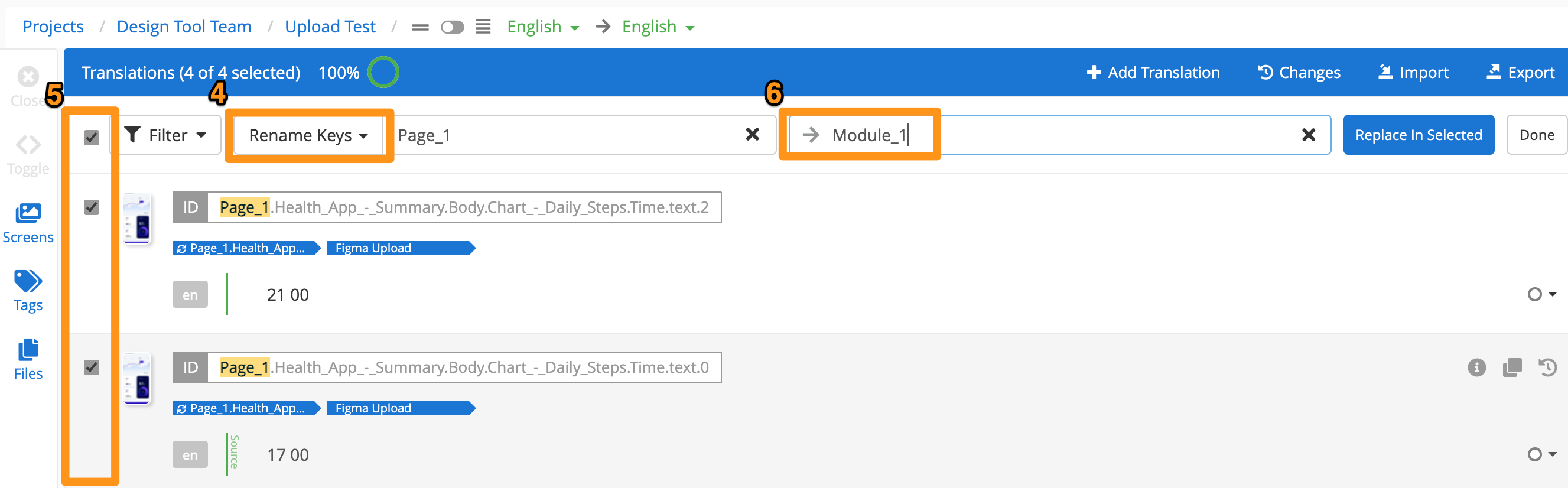
Ensure Rename key is selected in the search & replace dropdown menu.
Use the checkboxes to select which keys to rename.
Enter the text that should replace the original search term (or leave blank to remove the search term from the key.)
Click Replace in selected then click Rename in the confirmation dialog.
Once renaming is completed, clear the search bar to see the updated keys.